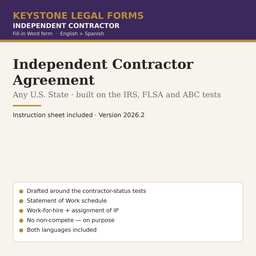
Independent Contractor Agreement Template — Any State
Built around the IRS, FLSA and ABC tests, with statement of work, W-9/1099 provisions and IP assignment. 51 state editions with each state's classification test.
Who it is for
A business hiring a freelancer, consultant or service provider for a project or an ongoing service without making that person an employee.
What is inside
- Contractor Agreement: Key Terms table (fees, invoicing, expenses, exclusivity, insurance, notice, non-solicitation) + 9 articles — services and changes, independent-contractor status, fees and taxes, work product and IP, confidentiality, non-solicitation, term and termination, liability and indemnity, general; Schedule 1 Statement of Work
- Instruction Sheet: the employee-vs-contractor tests explained and how the form is built around them, fees and tax reporting, sales tax, ownership of the work, why there is no non-compete, after-signing checklist, when the form is not enough
The first pages
Rendered from the actual form. Yellow fields are the ones you fill in; the rest is already written.
INDEPENDENT CONTRACTOR AGREEMENT
The information in this table is incorporated into the Agreement that follows. Where the Agreement refers to an item "in the Key Terms," it means the entry below.
| Item | Entry |
|---|---|
| Company — name, entity type and address | [COMPANY NAME] · [COMPANY ENTITY TYPE AND ADDRESS] |
| Contractor — name, entity type and address | [CONTRACTOR NAME] · [CONTRACTOR ENTITY TYPE AND ADDRESS] |
| Contractor's taxpayer identification number (EIN or SSN, for Form W-9) | [CONTRACTOR TAXPAYER IDENTIFICATION NUMBER] |
| Licenses or permits the Contractor must hold | [REQUIRED LICENSES OR PERMITS, OR "None required"] |
| Services | As described in Schedule 1 (the "Services") |
| Start date | [START DATE] |
| Term | [TYPE "Until the Services in Schedule 1 are completed" OR "Until" AND THE END DATE OR "Month to month until either party gives notice"] |
| Fees | [TYPE "A fixed fee of $" AND THE AMOUNT OR "$" AND THE HOURLY RATE "per hour, not to exceed" AND THE HOURS OR AMOUNT "without the Company's written approval" OR "The milestone payments in Schedule 1"] |
| Invoices and payment | Contractor invoices [INVOICE FREQUENCY — e.g., "monthly" or "on completion of each milestone"]; the Company pays within [PAYMENT DAYS] days after receiving a correct invoice |
| Expenses | [TYPE "Not reimbursed — included in the fees" OR "Reimbursed if pre-approved in writing and documented"] |
| Exclusivity | [TYPE "None — the Contractor may work for others" OR "During the term the Contractor will not perform the same Services for" AND THE NAMED COMPETITORS] |
| Insurance the Contractor must carry | [INSURANCE REQUIREMENTS, OR "None"] |
| Notice to end the Agreement without cause | [TERMINATION NOTICE DAYS] days' written notice by either party |
| Non-solicitation of the Company's employees and clients | [TYPE "None" OR "Yes — for twelve (12) months after the Agreement ends"] |
| Governing law and courts | State of [GOVERNING LAW STATE]; state or federal courts located in [COUNTY AND STATE FOR LAWSUITS] |
… the document continues for about 7 pages.
The instruction sheet
Every download includes a plain-language instruction sheet. This is how it opens.
INSTRUCTION SHEET
Independent Contractor Agreement
This is the agreement between a business (the "Company") and a self-employed person or firm (the "Contractor") that the business hires for a project or an ongoing service without making it an employee: a bookkeeper, a web designer, a consultant, a photographer, a repair technician, a sales agent paid by the job. It defines the work (in a Statement of Work), the fees and how they are invoiced, who owns what the contractor produces, confidentiality, and how either side ends the relationship. Above all, it is drafted so that the relationship fits the factors that federal and state law use to classify a worker as an independent contractor.
Use this form if: the contractor runs its own business, works for other clients (or is free to), decides how to do the work, and is paid for results or time without the Company controlling the details of the work.
Use a different form if: the person will work a fixed schedule under the Company's supervision, using the Company's tools, for the Company only, as the Company's staff do — that person is an employee whatever the paper says, and Form US-EMP-01 is the right document. If the Company is the one providing services to clients, use Form US-GEN-03 (Services Agreement), which is drafted from the provider's side.
• Work in Microsoft Word (or any program that opens .docx files). Every field appears in yellow highlight inside square brackets, for example [CONTRACTOR NAME]. Replace the whole bracket — including the brackets themselves — with your information, and remove the yellow highlight (select the text, then Home → Text Highlight Color → No Color).
• Some fields offer choices, written as "OPTION A" OR "OPTION B", or begin with the word TYPE followed by the alternatives. Pick one, type that text in place of the entire bracket, and delete the alternatives.
• Complete the Key Terms and Schedule 1 (the Statement of Work) together; the Key Terms give the commercial terms and Schedule 1 describes the work.
• Use the search function (Ctrl+F) to search for an opening square bracket when you are done. Dates: write them in full ("March 3, 2026"). Delete the cover page before signing.
State editions
All 51 editions are in the same download. Open a state to see what its edition already fills in.
AL · AK · AZ · AR · CA · CO · CT · DE · DC · FL · GA · HI · ID · IL · IN · IA · KS · KY · LA · ME · MD · MA · MI · MN · MS · MO · MT · NE · NV · NH · NJ · NM · NY · NC · ND · OH · OK · OR · PA · RI · SC · SD · TN · TX · UT · VT · VA · WA · WV · WI · WY
Questions
What file do I get?
A zip with the state-neutral form and all 51 state editions as Word (.docx) files in English and Spanish, plus the Instruction Sheet. Open in Microsoft Word, Google Docs or LibreOffice.
How do I complete it?
Open the Instruction Sheet first. Replace each yellow [BRACKETED FIELD] with your information, delete the options you do not use, delete the cover page, then print or e-sign.
Can I reuse it?
Yes. The license covers your own business and every company you own; it does not allow resale of the template itself.
Do I need a notary or a lawyer?
The Instruction Sheet says when a signature needs a notary and lists the situations where the form is not enough and an attorney should review it.
Refunds?
Digital downloads are final once delivered. The preview on this page is taken from the actual document so you can see what you are buying.