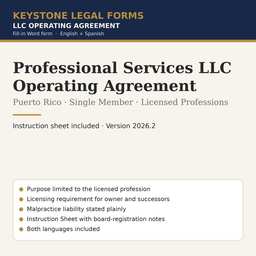
Professional Services LLC Operating Agreement
For physicians, dentists, attorneys, CPAs, engineers and architects practicing through a single-owner LLC.
The first pages
Rendered from the actual form. Yellow fields are the ones you fill in; the rest is already written.
OPERATING AGREEMENT
[COMPANY NAME], LLC
The information in this table is incorporated into the Agreement that follows. Where the Agreement refers to an item "in the Key Terms," it means the entry below.
| Item | Entry |
|---|---|
| Company name | [COMPANY NAME], LLC |
| Date the Certificate of Organization was filed with the Department of State | [FILING DATE] |
| Effective date of this Agreement | [EFFECTIVE DATE] |
| Principal office | [PRINCIPAL OFFICE ADDRESS] |
| Registered office (oficina designada) | [REGISTERED OFFICE ADDRESS] |
| Resident agent (agente residente) — name and address | [RESIDENT AGENT NAME] · [RESIDENT AGENT ADDRESS] |
| Profession and licensing authority | Professional [PROFESSION] services, licensed by the [LICENSING BOARD OR AUTHORITY] |
| Member — name, mailing address and license number | [MEMBER NAME] · [MEMBER MAILING ADDRESS] · License No. [LICENSE NUMBER] |
| Member's initial capital contribution | $[INITIAL CONTRIBUTION AMOUNT] in cash · Non-cash contribution and agreed value: [DESCRIPTION OF NON-CASH CONTRIBUTION, OR "None"] |
| Management | Member-managed. The Member manages the Company directly. |
| Officers (optional) | President: [OFFICER NAME, OR "None"] · Secretary: [OFFICER NAME, OR "None"] · Treasurer: [OFFICER NAME, OR "None"] |
| Intended tax classification — Puerto Rico | [PUERTO RICO TAX CLASSIFICATION] |
| Intended tax classification — U.S. federal | [FEDERAL TAX CLASSIFICATION] |
| Fiscal year | Calendar year |
… the document continues for about 5 pages.
The instruction sheet
Every download includes a plain-language instruction sheet. This is how it opens.
INSTRUCTION SHEET
Single-Member Professional Services LLC Operating Agreement
This is the operating agreement (contrato de compañía de responsabilidad limitada) for a Puerto Rico LLC with one owner that will render licensed professional services — the practice of a physician, dentist, attorney, CPA, engineer, architect, psychologist, veterinarian, or any other profession for which Puerto Rico requires a license or collegiation. It is the Member-Managed form (PR-LLC-01) with the additional provisions that a professional practice needs: a purpose limited to the profession, a requirement that owners and any future owners be licensed, a statement that the LLC does not shield the professional from liability for his or her own malpractice, and a dissolution trigger if the owner loses the license.
Why these provisions matter. The limited liability of an LLC protects the owner from the company's debts — the lease, the equipment loan, a supplier's invoice. It does not, and under Puerto Rico law cannot, protect a professional from liability for his or her own negligence toward a patient or client. The form says so plainly, because a professional who believes otherwise may underinsure. The licensing provisions exist because most professional boards and colegios in Puerto Rico prohibit non-professionals from owning an interest in a professional practice, and some require the entity itself to be registered with the board.
Use a different form if: the practice will have more than one professional owner (use PR-LLC-04, and add the licensing provisions from Sections 1.2, 2.1, 5.1 and 5.2 of this form); or the business is not a licensed profession (use PR-LLC-01).
• Work in Microsoft Word (or any program that opens .docx files). Every field appears in yellow highlight inside square brackets, for example [COMPANY NAME]. Replace the whole bracket — including the brackets themselves — with your information, and remove the yellow highlight (select the text, then Home → Text Highlight Color → No Color).
• Some fields offer choices, written as "OPTION A" OR "OPTION B". Pick one, type that text in place of the entire bracket, and delete the alternatives. Never leave both options in the signed document.
• Use the search function (Ctrl+F) to search for an opening square bracket when you are done. If the search finds nothing, every field has been completed.
• Delete the cover page (the first page, with the "How to use this form" box) before printing or signing.
• Do not change the numbering of the sections. The sections refer to one another by number, and the Instruction Sheet uses the same numbers.
Questions
What file do I get?
A zip with the Puerto Rico edition as Word (.docx) files in English and Spanish, plus the Instruction Sheet. Open in Microsoft Word, Google Docs or LibreOffice.
How do I complete it?
Open the Instruction Sheet first. Replace each yellow [BRACKETED FIELD] with your information, delete the options you do not use, delete the cover page, then print or e-sign.
Can I reuse it?
Yes. The license covers your own business and every company you own; it does not allow resale of the template itself.
Do I need a notary or a lawyer?
The Instruction Sheet says when a signature needs a notary and lists the situations where the form is not enough and an attorney should review it.
Refunds?
Digital downloads are final once delivered. The preview on this page is taken from the actual document so you can see what you are buying.