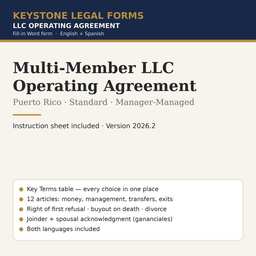
Multi-Member LLC Operating Agreement — Standard
Two to four partners, manager-managed: Major Decisions list, right of first refusal, buyout on death or withdrawal, joinder and spousal acknowledgment.
The first pages
Rendered from the actual form. Yellow fields are the ones you fill in; the rest is already written.
OPERATING AGREEMENT
[COMPANY NAME], LLC
The entries in this table are part of the Agreement that follows. Where the Agreement refers to an item "in the Key Terms," it means the entry below. Approval thresholds are expressed as a percentage of the Ownership Percentages of all Members; "a majority" means more than fifty percent (50%).
| Item | Entry |
|---|---|
| Company name | [COMPANY NAME], LLC |
| Date the Certificate of Organization was filed with the Department of State | [FILING DATE] |
| Effective date of this Agreement | [EFFECTIVE DATE] |
| Business of the Company | [BUSINESS DESCRIPTION] |
| Principal office | [PRINCIPAL OFFICE ADDRESS] |
| Registered office (oficina designada) | [REGISTERED OFFICE ADDRESS] |
| Resident agent (agente residente) — name and address | [RESIDENT AGENT NAME] · [RESIDENT AGENT ADDRESS] |
| Fiscal year | Calendar year |
| Intended tax classification — Puerto Rico | [PUERTO RICO TAX CLASSIFICATION] |
| Intended tax classification — U.S. federal | [FEDERAL TAX CLASSIFICATION] |
| Member — name, mailing address, e-mail | Initial Capital Contribution | Ownership Percentage |
|---|---|---|
| [MEMBER 1 NAME] · [MEMBER 1 MAILING ADDRESS] · [MEMBER 1 E-MAIL] | $[MEMBER 1 CONTRIBUTION] | [MEMBER 1 %]% |
| [MEMBER 2 NAME] · [MEMBER 2 MAILING ADDRESS] · [MEMBER 2 E-MAIL] | $[MEMBER 2 CONTRIBUTION] | [MEMBER 2 %]% |
| [MEMBER 3 NAME, OR DELETE ROW] · [MEMBER 3 MAILING ADDRESS] · [MEMBER 3 E-MAIL] | $[MEMBER 3 CONTRIBUTION] | [MEMBER 3 %]% |
| Total | $[TOTAL CONTRIBUTIONS] | 100% |
Non-cash contributions and their agreed values: [DESCRIPTION OF NON-CASH CONTRIBUTIONS, OR "None"]. Deadline for paying any contribution not yet paid: [CONTRIBUTION DEADLINE IN DAYS] days after the effective date.
| Item | Entry |
|---|---|
| Manager — name and mailing address | [MANAGER NAME] · [MANAGER MAILING ADDRESS] |
| Officers (optional) | President: [OFFICER NAME, OR "None"] · Secretary: [OFFICER NAME, OR "None"] · Treasurer: [OFFICER NAME, OR "None"] |
| Who appoints and removes the Manager | [MANAGER APPOINTMENT: "a majority" OR "all of the Members"] |
| Approval required for Major Decisions (Section 4.3) | [MAJOR DECISION APPROVAL: "a majority" OR "at least [__]%" OR "all of the Members"] |
| Borrowing limit — loans or guarantees above this amount are a Major Decision | $[BORROWING LIMIT] |
| Capital expenditure limit — unbudgeted purchases above this amount are a Major Decision | $[CAPITAL EXPENDITURE LIMIT] |
| Who declares distributions | [DISTRIBUTION APPROVAL: "the Manager" OR "a majority"] |
| Approval required to admit a new Member or issue new interests | [ADMISSION APPROVAL: "all of the Members" OR "a majority"] |
| Ownership Percentage needed to call a meeting of the Members | [MEETING CALL THRESHOLD]% |
| Approval required to amend this Agreement | [AMENDMENT APPROVAL: "all of the Members" OR "at least [__]%"] |
| Approval required to dissolve the Company voluntarily | [DISSOLUTION APPROVAL: "all of the Members" OR "at least [__]%"] |
| Item | Entry |
|---|---|
| Approval required for a transfer to an outsider (after the right of first refusal) | [TRANSFER APPROVAL: "a majority of the other Members" OR "all of the other Members"] |
| Time to exercise the buyout option after a Member's death or incapacity | [BUYOUT OPTION PERIOD IN DAYS] days |
… the document continues for about 12 pages.
The instruction sheet
Every download includes a plain-language instruction sheet. This is how it opens.
INSTRUCTION SHEET
Multi-Member LLC Operating Agreement
This is the operating agreement (contrato de compañía de responsabilidad limitada) for a Puerto Rico LLC with two or more owners who share profits in proportion to their ownership percentages and have one of them (or a hired person) manage the business. It covers the matters that every multi-owner company must settle in writing: who decides what, how money comes in and goes out, what happens when an owner wants to leave, dies, divorces or goes bankrupt, and how disputes are handled before anyone goes to court.
Use this form if: there are two to four owners; all owners share profits and losses in proportion to their percentages; the owners do not expect to be required to contribute more money later; and the owners want a complete but readable agreement without the full set of investor-style provisions.
Use a different form if: you want some owners to have no vote (use the Voting and Non-Voting form, PR-LLC-05 — typical for family members, key employees or passive investors); you need mandatory capital calls, tag-along and drag-along rights, a post-departure non-compete, or a buy-sell mechanism for deadlock (use the Comprehensive form, PR-LLC-06); or there is only one owner (use PR-LLC-01 to 03).
• Work in Microsoft Word (or any program that opens .docx files). Every field appears in yellow highlight inside square brackets, for example [COMPANY NAME]. Replace the whole bracket — including the brackets themselves — with your information, and remove the yellow highlight (select the text, then Home → Text Highlight Color → No Color).
• Some fields offer choices, written as "OPTION A" OR "OPTION B". Pick one, type that text in place of the entire bracket, and delete the alternatives. Never leave both options in the signed document.
• Use the search function (Ctrl+F) to search for an opening square bracket when you are done. If the search finds nothing, every field has been completed.
• Delete the cover page (the first page, with the "How to use this form" box) before printing or signing.
• Do not change the numbering of the sections. The sections refer to one another by number, and the Instruction Sheet uses the same numbers.
Questions
What file do I get?
A zip with the Puerto Rico edition as Word (.docx) files in English and Spanish, plus the Instruction Sheet. Open in Microsoft Word, Google Docs or LibreOffice.
How do I complete it?
Open the Instruction Sheet first. Replace each yellow [BRACKETED FIELD] with your information, delete the options you do not use, delete the cover page, then print or e-sign.
Can I reuse it?
Yes. The license covers your own business and every company you own; it does not allow resale of the template itself.
Do I need a notary or a lawyer?
The Instruction Sheet says when a signature needs a notary and lists the situations where the form is not enough and an attorney should review it.
Refunds?
Digital downloads are final once delivered. The preview on this page is taken from the actual document so you can see what you are buying.